개발 중에 QR코드를 Scan을 해야하는 기능이 있어서 어떤 라이브러리를 쓸까 찾아보니까. 역시나 능력자들이 이미 만들어 놓은 다양한 라이브러리가 많았고 그중에 가장 많이 다운로드를 한 mobile_scanner를 사용하기로 했다.
이 글을 쓰고 있는 현재 mobile_scanner는 좋아요 2140개와 다운로드 55만5천을 기록하고 있다.
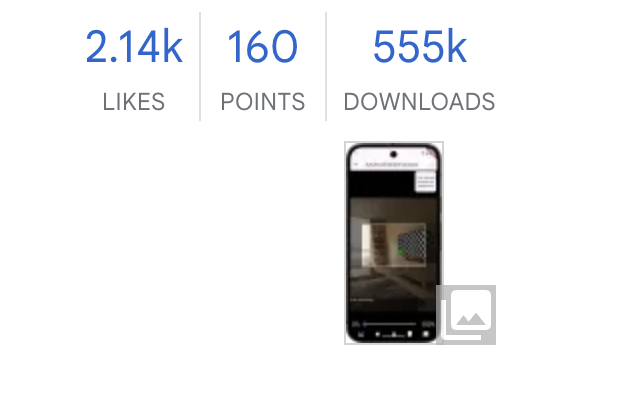
mobile_scanner | Flutter package
A universal Flutter barcode and QR code scanner using CameraX/ML Kit for Android, AVFoundation/Apple Vision for iOS & macOS, and ZXing for web.
pub.dev
flutter pub.dev에서 오늘 사용할 mobiel_scanner를 자신의 프로젝트에 pubspec.yaml등록하고
flutter pub get을 해줘서 패키지 설치를 진행한다.
이제 QR Scan을 사용할 페이지에 코드를 작성해보자
코드는 아래처럼 작성을 진행하면 된다.
QR Scan에 진행 될 Class는 'MobileScanner'이다.
MobileScanner를 이용하면 QR코드 스캔을 되지만 아래 처럼 사용자에게 가이드를 주는 형식으로는 만들어 주지는 않는다.

그래서 Stack에 쌓아 각각에 필요한 요소들을 화면에 쌓을 수 있도록 진행하였다.

MobileScanner 코드
MobileScanner(
  controller: scannerController,
  onDetect: (capture) async {
    final raw = capture.barcodes.first.rawValue ?? '';
    setState(() {
      _detectedUrl = raw;
    });
  },
),
MobileScanner에 사용되는 코드는 위 와 같이 작성하였다. QR코드를 스캔하고 나면 barcodes 값이 넘어 오게 되고 우리는 그 값을 처리 하면 된다.
그 처리시 바로 다음 화면으로 넘어 가면 끝!
노란 URL 링크 만들기
그리고 _detectecUrl이 null이 아닌 상태가 되면 노란URL 링크를 만들어서 보여주도록 해놓았다.
Positioned(
  bottom: 100,
  left: 70,
  right: 70,
  child: GestureDetector(
    onTap: () {
      scannerController.stop();
      context.push('/home/qr-result', extra: _detectedUrl);
    },
    child: Container(
      padding: const EdgeInsets.symmetric(horizontal: 20, vertical: 10),
      decoration: BoxDecoration(
        color: Colors.amber[600],
        borderRadius: BorderRadius.circular(24),
        boxShadow: [
          BoxShadow(
            color: Colors.black26,
            blurRadius: 6,
            offset: Offset(0, 3),
          ),
        ],
      ),
      child: Row(
        mainAxisSize: MainAxisSize.min,
        children: [
          const Icon(Icons.qr_code_scanner, color: Colors.black),
          const SizedBox(width: 8),
          Expanded(
            child: Text(
              _detectedUrl!,
              overflow: TextOverflow.ellipsis,
              style: const TextStyle(
                fontWeight: FontWeight.bold,
                color: Colors.black,
              ),
            ),
          ),
        ],
      ),
    ),
  ),
),
GestureDetector를 넣어서 노란링크 박스를 클릭하면 다음 화면으로 넘어 갈 수 있게 설정을 해놓았다.
그리고 여기서 MobilScanner를 사용할때 controller를 연결 해놓고 다음 화면으로 넘어 갈때는 해당 controller를 stop()을 호출 해야
출력창에서 warn을 안 볼 수 있을 것이다.
이제 QR 코드를 스캔할 수 있는 화면을 만들었다. 정상동작하는지 테스트를 해볼 차례다
테스트는 아래 글을 참고하길 바란다.
[AndroidStudio] 안드로이드 애뮬레이터에서 QR Scan 테스트 하기 for Mac
QR 스캔을 하기 위한 개발을 하는 도중에 애뮬레이터에서는 어떻게 하면 QR 스캔을 테스트 해볼 수 있을까 하다 찾아 보니까 역시나 방법이 다 있었다. 우선 얘물레이커를 킨다. 애물레이터의 Exte
salmonworld.tistory.com
'프레임워크 > Flutter' 카테고리의 다른 글
| [AndroidStudio] 안드로이드 애뮬레이터에서 QR Scan 테스트 하기 for Mac (0) | 2025.09.26 |
|---|---|
| [flutter] Google AdMob Native Ads 적용하기-플랫폼별 설정(Android편) (0) | 2025.01.16 |
| [flutter] Google AdMob Native Ads 적용하기-네이티브 템플릿 (0) | 2025.01.16 |
| Android Studio Design editor is unavailable until next gradl sync 해결방법 (0) | 2025.01.16 |
| [Flutter]Error Manifest merger failed (0) | 2025.01.14 |


댓글